

School pickup, made calm
School dismissal without the microphone
Parents request pickup from an app. Wildi releases children in paced batches to their classroom teacher, and the gate checks every handover. No queue at reception, no loudspeaker, no crowd at the door.
Arabic and English, built for schools in Qatar.
The last 30 minutes of the school day
Most schools still run dismissal the same way: a queue, a microphone and a crowded gate.
The queue at reception
Parents line up to give a name, reception calls it out, and everyone waits for the next one.
The loudspeaker
Names are repeated across the building. Classes are interrupted and some calls are simply missed.
The crowd at the gate
Hundreds of requests arrive at once. Children and parents meet in a crush that nobody can check.
How Wildi works
Four steps from the car park to the car, and every one of them is recorded.
- 1Waiting
The parent requests pickup
From the Wildi app, for one child or all of them. Parents without a smartphone ask at the reception kiosk.
- 2Called
Wildi paces the release
Calls go out in batches you set per grade, so the gate never floods. Reception can hold, resume or send a child early.
- 3On the way
The teacher sends the child
The classroom device rings with the child's name. The teacher taps Seen, then Sent. Unanswered calls are escalated.
- 4Picked up
The gate checks the handover
A pickup code or QR confirms the right adult. The parent confirms they have the child, or reports a problem.
One system, four roles
Each person sees the one thing they need to do next.

Front office
A live dismissal board, a kiosk for walk-up parents, gate checks and a list of late pickups.
Learn more
Teachers
Calls arrive on the classroom device with a clear sound. Seen, then Sent. Nothing to announce.
Learn more
Parents
Request pickup, follow each child from Waiting to Picked up, and manage who may collect them.
Learn more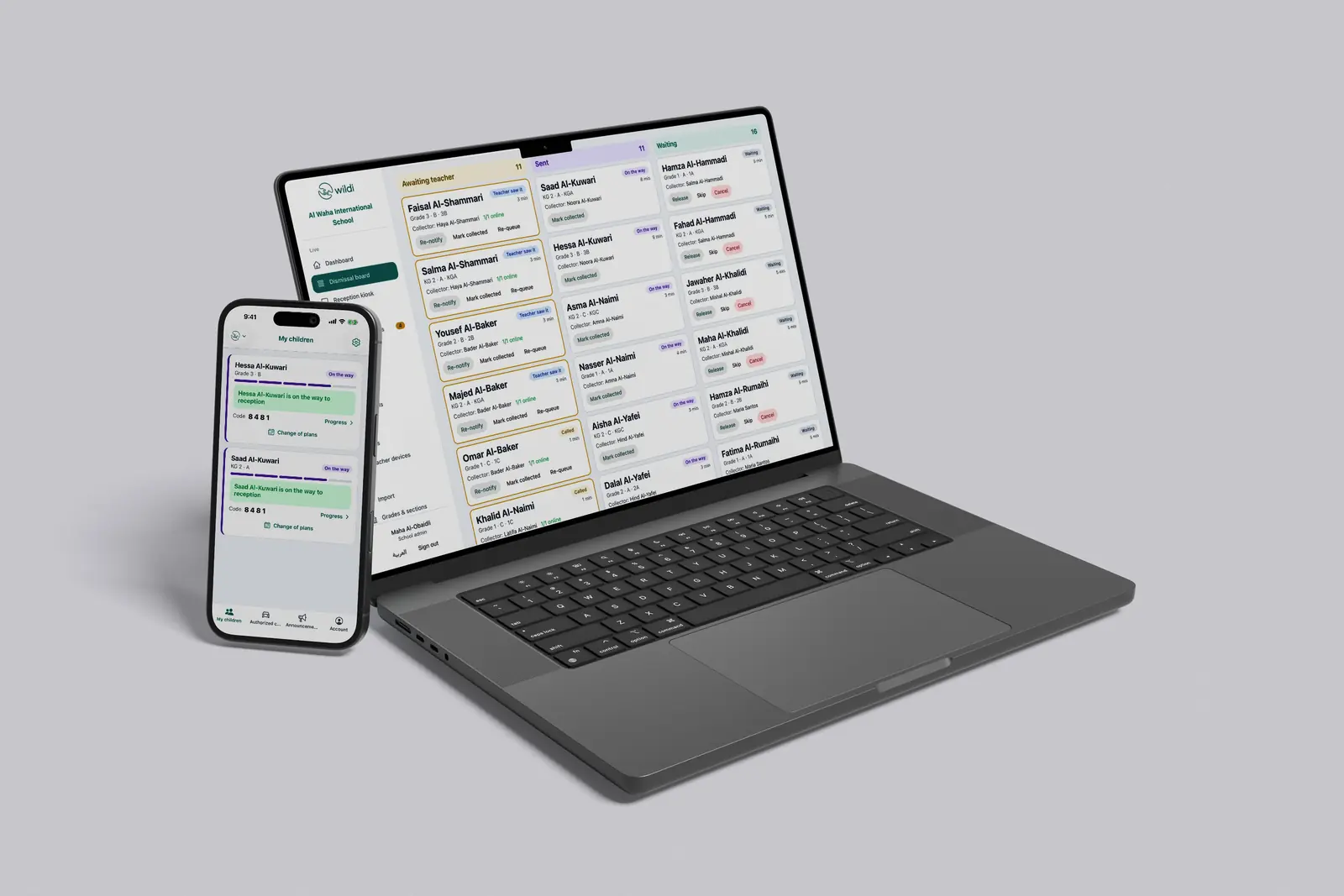
Administrators
Dismissal windows, roles and permissions, broadcasts, reports and a full audit trail.
Learn moreSee it in action
The same pickup, seen from reception, the classroom and the parent's phone.
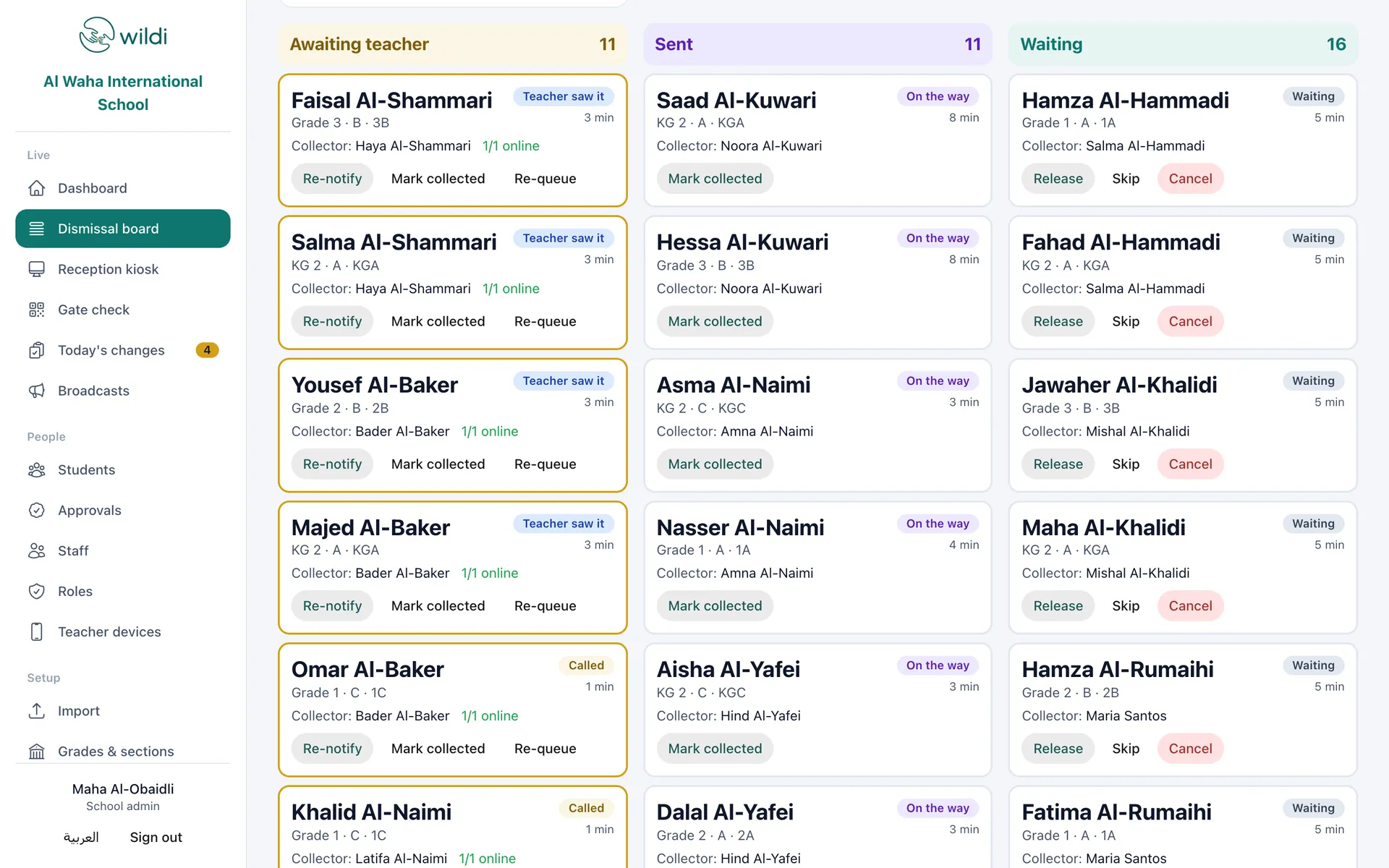
The dismissal board updates live as calls are made, seen, sent and completed.
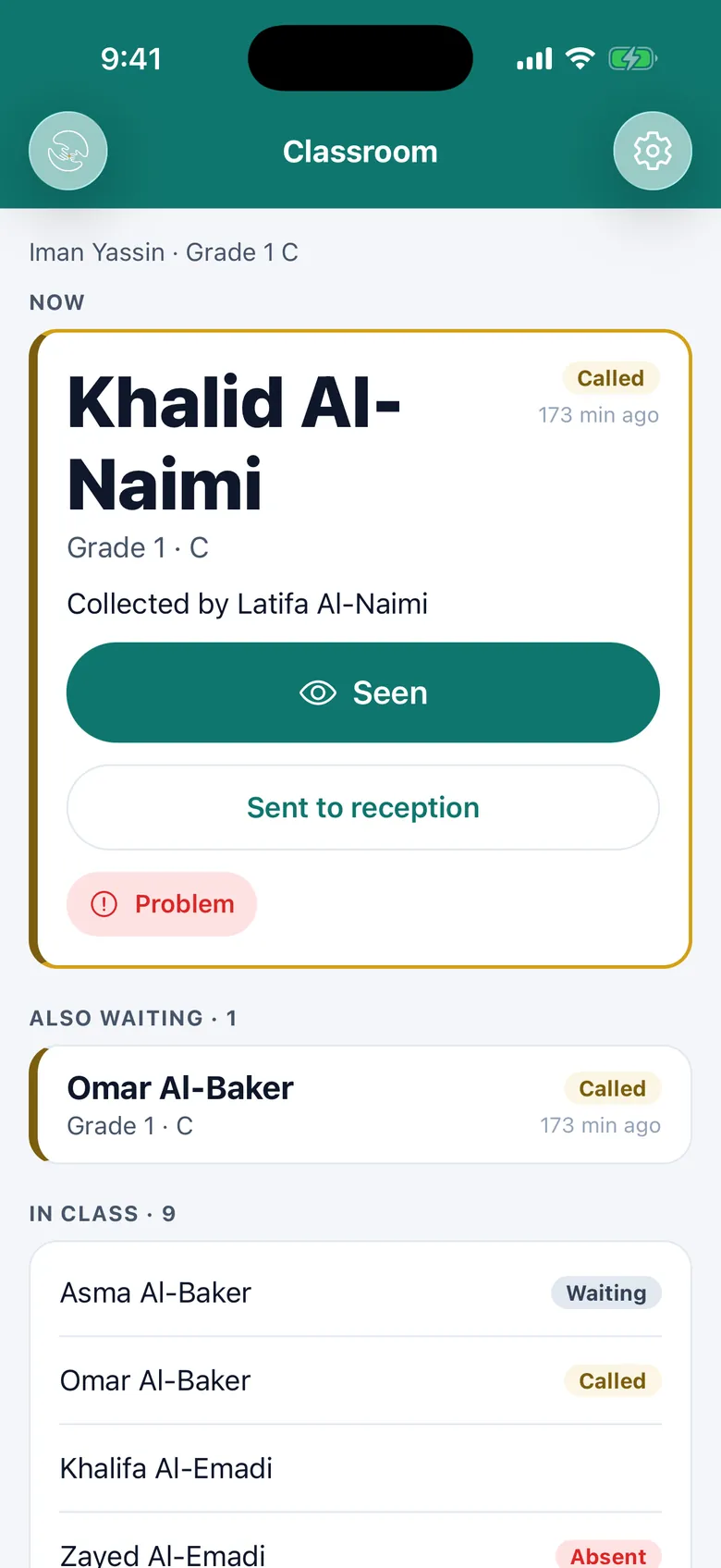
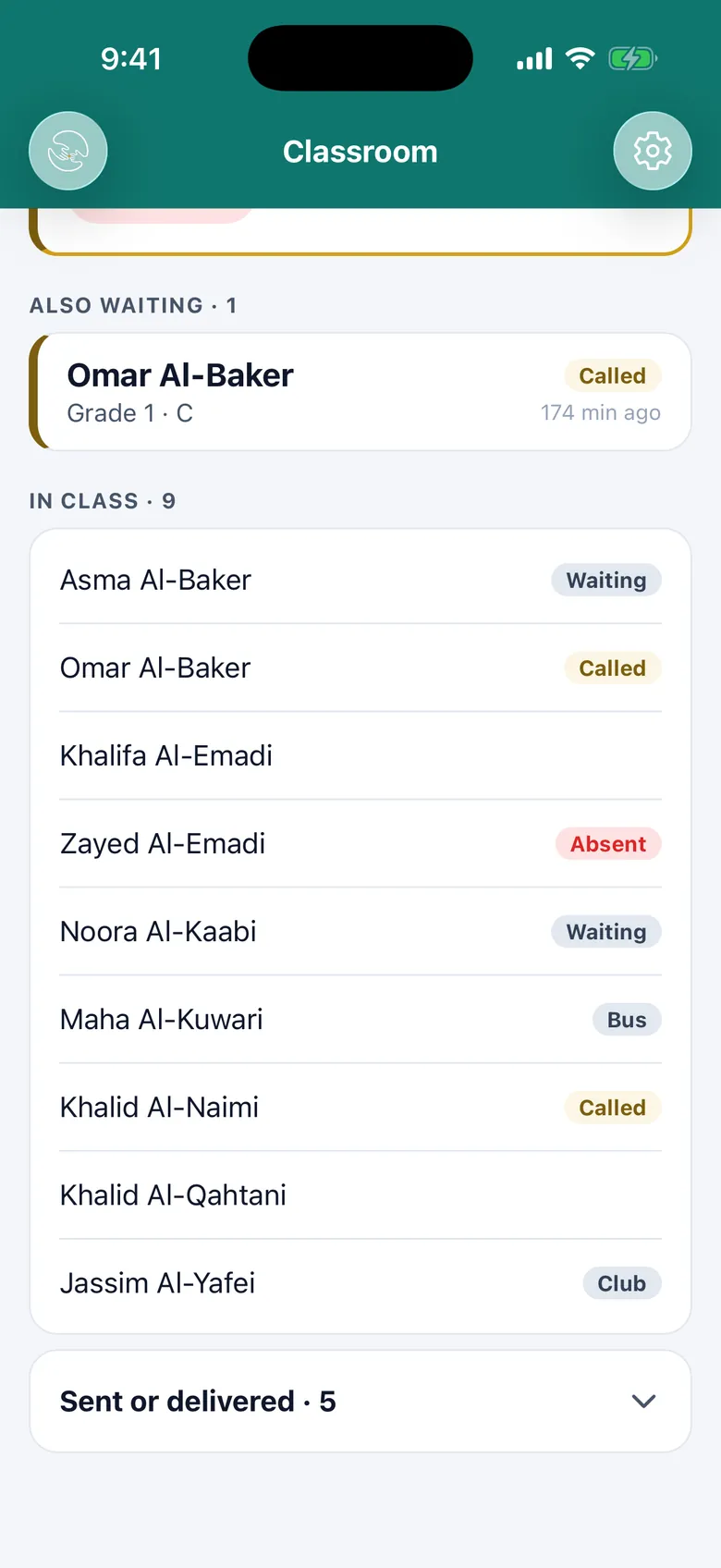
Wildi Class shows the current call first, then the queue. One button at a time.
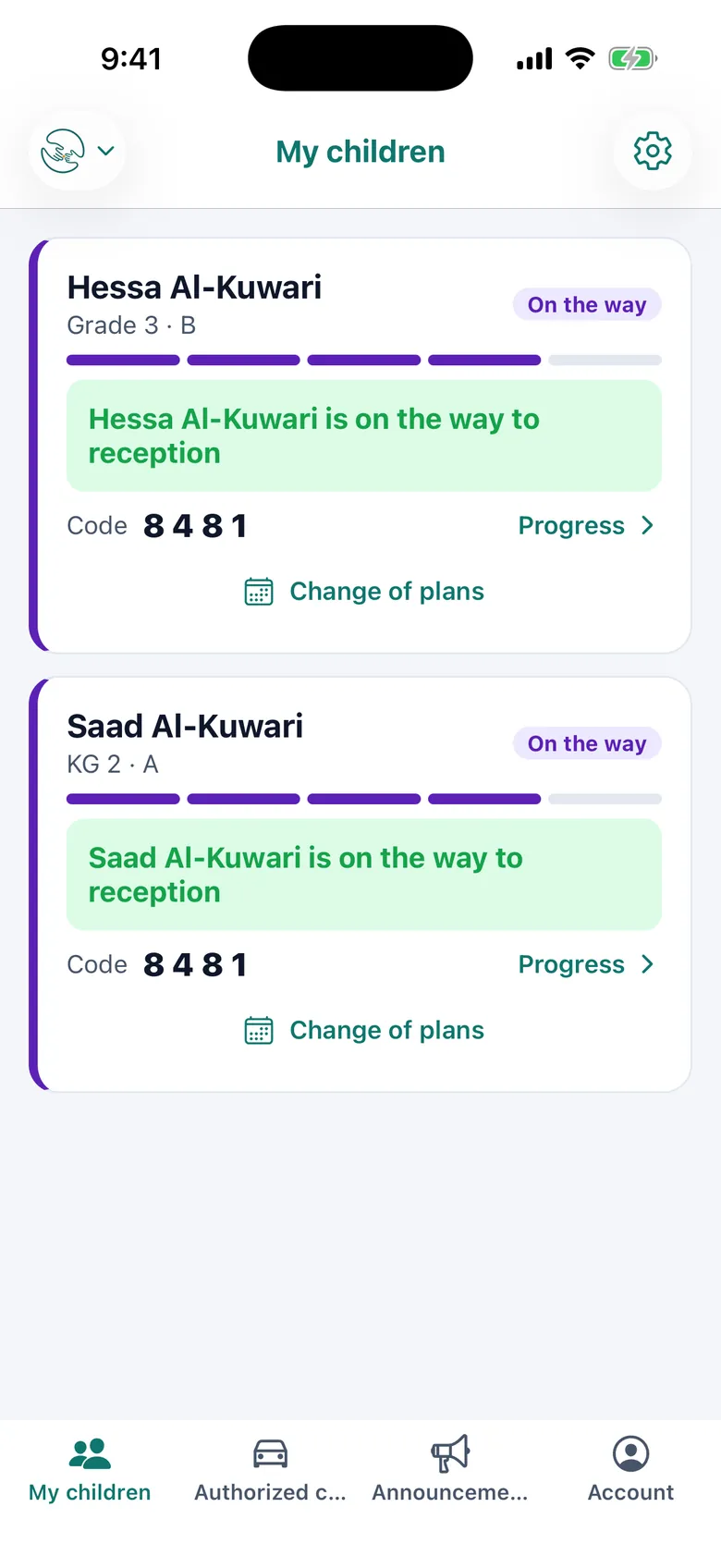
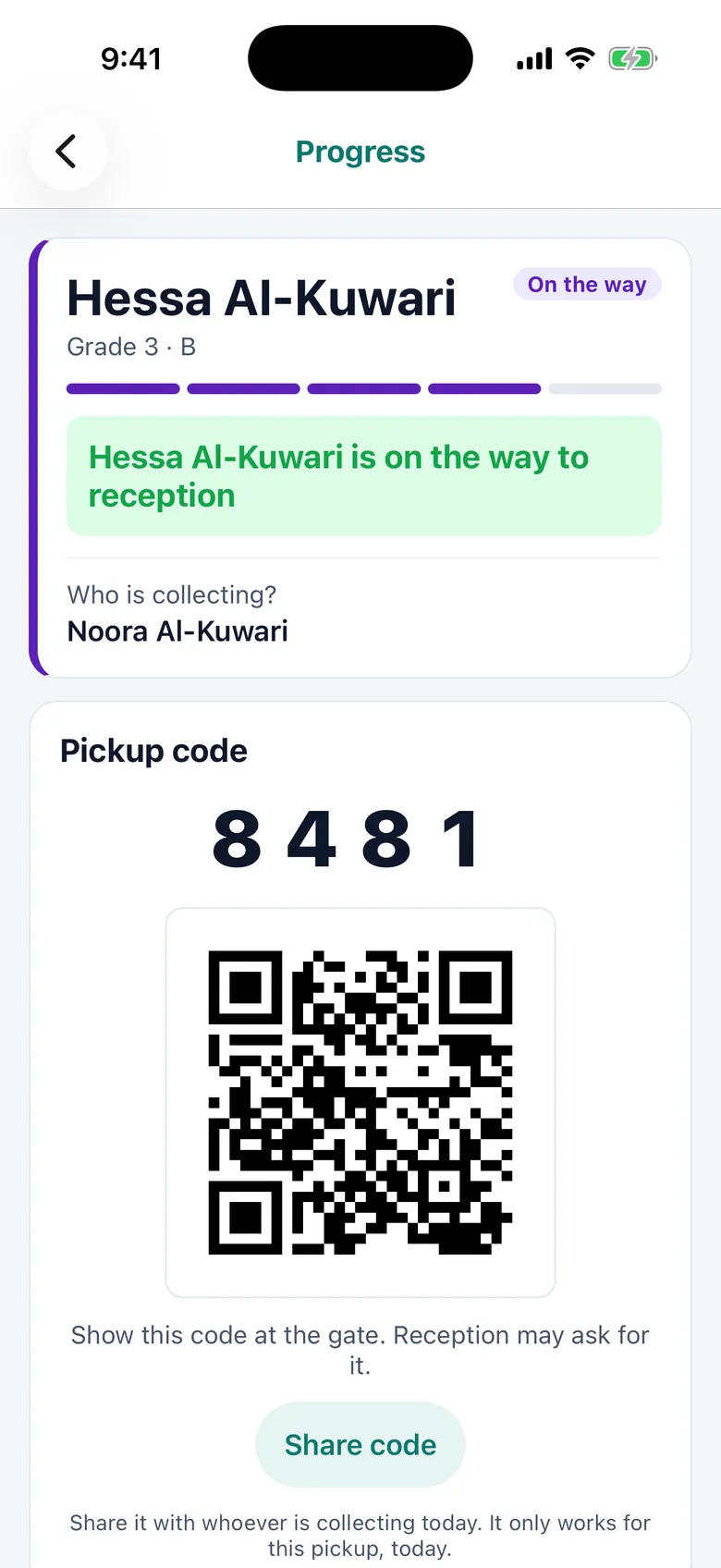
Parents see each child's status as it moves, and their pickup code for the gate.
Safety comes first
Dismissal is a hand-over of a child. Wildi treats it that way.
Custody holds
Mark a child "do not release" or block a named person. Held children stay in class until reception decides.
Approved collectors
Parents add drivers or relatives; the school approves each one before they can collect.
Gate codes
Every request gets a 4-digit code and a QR. After five wrong codes, the gate check pauses for ten minutes.
Every step recorded
Who requested, who released, who collected and when. Audit rows for every change.

Built for schools in Qatar
Made here, for the way schools here work.
Arabic first
Every screen in Arabic and English, with full right-to-left layout. Names are searchable in both scripts.
PDPPL ready
A bilingual privacy notice and consent, retention limits, and account deletion for parents.
QID-based records
Students are matched by QID. Only staff with permission see the full number.
Your server, at your school
Each school runs its own server. Student data stays on your site, not in a shared cloud.
From signed to live
We set up the system with your team and stay with you through the first dismissals.
- 01
Import your students
Upload a CSV from your student system. A dry run shows every change before anything is saved.
- 02
Set up your server
We install Wildi on a server at your school and connect it to Wildi Hub.
- 03
Invite parents
Print the bilingual QR poster. Parents scan it, register, and you approve each child.
- 04
Train your team
Short sessions for reception and teachers, then support on your first live days.
Questions schools ask
What about parents who don't have a smartphone?
Reception uses the kiosk screen: search the child's name in Arabic or English, pick the adult collecting, and the request joins the same queue as app requests.
Do teachers need a special device?
No. Teachers use the Wildi Class app on a phone or tablet, or the teacher page in any modern browser. Calls arrive with a clear sound so they are hard to miss.
Where is our data kept?
On a server at your school. The central Wildi Hub only knows your school's name, logo and address so the apps can find it. It holds no student data.
How do parents get access?
They download Wildi, connect with your school's code or QR poster, and register each child with the child's name and QID. Your staff approve every claim.
Can we control how fast children are released?
Yes. You set dismissal windows with a batch size and an interval, per grade or section. Reception can hold, resume or release a child manually at any time.
What does it cost?
Pricing depends on the size of your school and the setup you need. Book a demo and we will send you a quote.

Ready for a calmer dismissal?
We'll show you Wildi with your own grades and sections, and send you a quote.